 Should I Buy It?
Should I Buy It? is a Chrome extension built on a behavioral design principle: friction reduces impulsive decisions. On Amazon, the purchase funnel is optimized to minimize your resistance. This extension does the opposite — it deliberately increases it.
How it works
When you land on an Amazon product page, the extension automatically detects the product and its price. An overlay appears before you can add to cart:
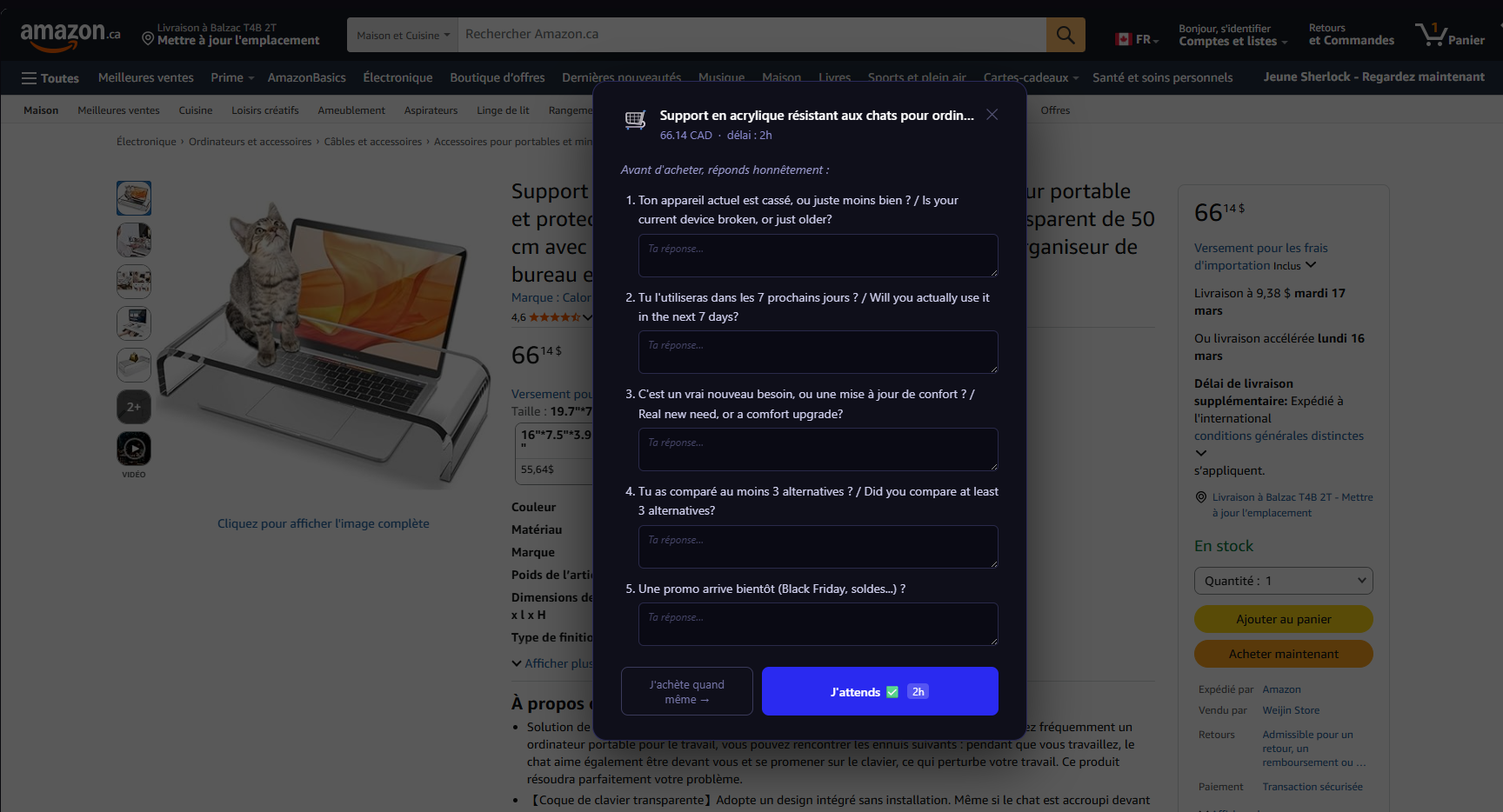
5 friction questions:
- Why do you want to buy this right now?
- Do you actually need it, or do you just want it?
- Do you already own something that serves this purpose?
- Will you still be using it in 6 months?
- Is it worth the number of work hours it represents?
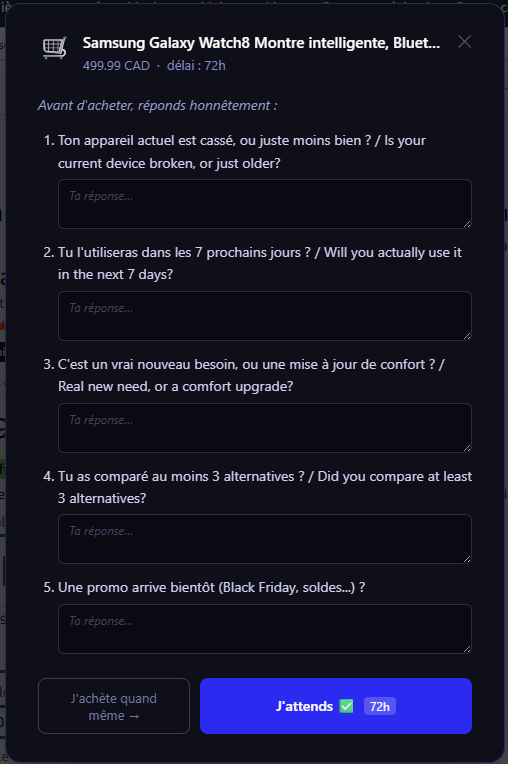
After the questions, a delay is imposed based on price:
- < €20 → 2 hours
- €20–€100 → 24 hours
-
€100 → 72 hours
If you return after the delay and still want to buy, the decision is logged in Notion with your justification. If you don’t come back, the decision is marked “avoided.”
Architecture
Chrome Extension (Manifest V3)
- Content script injected on Amazon product pages
- Price and title detection via DOM scraping
- Vanilla JavaScript UI overlay, zero dependencies
n8n + Notion
- On each decision (purchase or abandon), an n8n webhook is called
- n8n pushes the entry to Notion: product, price, question answers, delay, final decision
Notion — Decision journal
- Database with filters: avoided, purchased, pending
- Statistics: total amount avoided, resistance rate
Built-in dashboard
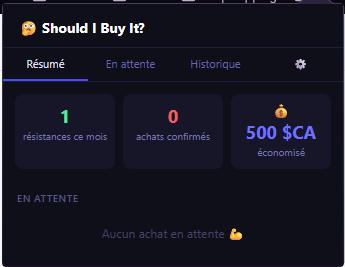
The extension includes a dashboard directly in the popup. At a glance, you can see your decision history, avoided purchases, purchases confirmed after the delay, and decisions still pending.
Configurable settings
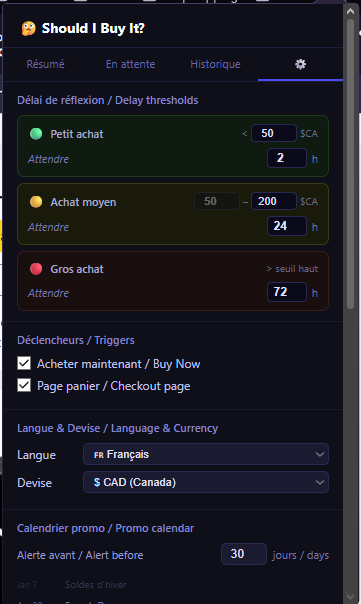
Delay thresholds, language, currency, and button behavior are fully customizable. You can also enable visual blocking of the purchase button during the waiting period.
Architecture
Chrome Extension (Manifest V3)
- Content script injected on e-commerce pages
- Price and product title detection via DOM
- Vanilla JavaScript UI overlay, zero dependencies
Local storage
- Everything stored in the browser — no account required
- Optional webhook to n8n + Notion to track decisions
Built by Thomas Silliard — in daily personal use since March 2026.